
7 Quick Steps for Faisal Movers App Booking & Tracking
Are you planning a trip with Faisal Movers? The Faisal Movers Mobile App makes the entire travel process smoother, from app booking your ticket to tracking your journey in real-time. In this guide, we’ll walk you through how to use the app for booking, check-in, and travel tracking.

Download the Faisal Movers Mobile App
Before you can start app booking tickets or tracking your travel, you need to download the Faisal Movers Mobile App. It’s available on both the App Store for iOS users and Google Play for Android users. Once downloaded, create an account or log in if you already have one.
Booking Your Ticket on the Faisal Movers Mobile App
Booking a ticket with Faisal Movers is quick and easy. Here’s how you can do it:
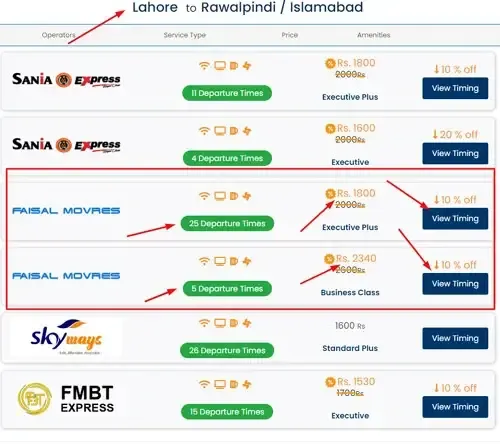
Select Your Route: Open the app and enter your departure and arrival cities. The app will show you available routes and schedules.
Choose Your Seat: Pick your preferred seat. You can also choose between Standard or Executive bus types, depending on your budget and preferences.
Confirm Payment: After selecting your seat, the app will prompt you for payment. Choose from a variety of payment options like credit/debit cards or mobile wallets.
Book Your Ticket: After the payment is confirmed, your ticket will be sent to your email, and you’ll receive a booking confirmation within the app.
Check-in Using the Faisal Movers Mobile App
Faisal Movers makes check-in a hassle-free experience:
Track Your Travel in Real-Time
One of the standout features of the Faisal Movers app is real-time travel tracking. Here’s how you can stay updated:
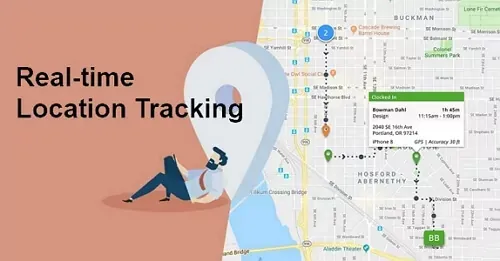
Track Your Bus: After you board the bus, use the “Track Bus” feature in the app to follow its location in real-time.
Estimated Arrival Time: The app provides an estimated time of arrival at your destination, so you can plan your next steps or pick-ups accordingly.
Stay Updated: Any delays or changes in travel will be instantly notified through the app.
Tips for a Seamless Experience:
Turn on push notifications to stay up-to-date with booking, check-in, and travel status.
Regular updates ensure you have access to the latest features and security improvements.
Download your ticket and boarding pass ahead of time in case you encounter connectivity issues.
Book Tickets Online & Check Timings
FAQs
Final Thoughts
The Faisal Movers Mobile App is designed to make your travel experience easier and more convenient. From app booking your ticket to tracking your journey, it’s a one-stop solution for all your travel needs. So next time you’re planning a trip, make sure you use the Faisal Movers app — it’s quick, easy, and efficient!


